Thursday, 27 February 2014

Samsung debuts wearables and flagship Galaxy S5 #Samsung

Samsung Electronics unveiled a new smartwatch and fitness band along with the latest version of its Galaxy smartphone on Monday, demonstrating how the battleground for innovation is shifting from the hand to the wrist.

New Samsung Galaxy S5 smartphone (L), Gear 2 smartwatch (C) and Gear Fit fitness band are displayed at the Mobile World Congress in Barcelona February 23, 2014. — Reuters Photo


Samsung Electronics unveiled a new smartwatch and fitness band along with the latest version of its Galaxy smartphone on Monday, demonstrating how the battleground for innovation is shifting from the hand to the wrist.
The world's biggest smartphone maker set a trend less than six months ago for wearable devices that link to mobile handsets with its Galaxy Gear watch, which has seen rivals like Sony and Huawei follow in its wake.
The switch in focus also underlines the challenges the South Korean firm is facing. Low-price Chinese rivals are churning out products that look increasingly similar at a time when smartphone sales have started to ease, taking a toll on Samsung's earnings.
To fight back, Samsung is taking a less glitzy marketing approach to control costs. It has also performed a U-turn, abandoning its previous heavy focus on sweeping hardware improvements to highlight more subtle features in its devices and accessories in a bid to appeal to a wider audience.
"With the Galaxy S5, Samsung is going back to basics," JK Shin, co-chief executive and president of Samsung's mobile business, told an audience of Samsung employees, partners and media at the annual Mobile World Congress technology trade show in Barcelona. Samsung will roll out the S5 globally on April 11, with pricing details yet to be disclosed.
"Our consumers do not want eye-popping technology or the most complex technology," he said. Instead, they want beautiful design, a better camera, faster connectivity and technology that would help them keep fit, Shin said.
Market expectations for the new S5, one of Samsung's marquee product launches this year, remain subdued given its comparative lack of innovation.
"The Galaxy S5 has great features and will probably sell well due to massive marketing support," Forrester Research analyst Thomas Husson said. "But is the total product experience it offers differentiated enough to continue the sales success story? Is it enough to bet on fitness and fingerprint sensors to beat Apple - rooting the experience in people's daily lives? I don't think so."
The Galaxy S5, which will be available in April, has a slightly bigger screen than its predecessor, at 5.1 inches compared with 5 inches, improved camera technology and better protection against water and dust, Samsung said.
It also has a fingerprint scanner on the home button, which rival Apple introduced in the iPhone 5S last year. The function can be used to protect data and provide security credentials in a swipe.
"It's very unlikely for the S5 sales to top its predecessor S4's performance during the key initial sales period," said Lee Seung-woo, an analyst at IBK Securities in Seoul. "I think sales would come in fewer than 20 million units in the first three months of the launch."
At a relatively low-key launch event in Barcelona, Samsung also unveiled the Gear 2 smartwatch, which runs on the Tizen operating system rather than Google's Android software, and a stripped-down version called Gear 2 Neo, which doesn't have a camera.
The devices can monitor the wearer's heart rate, a function used in increasingly popular health and fitness apps, or individual programs.
The Samsung Gear Fit, also targeting the fitness sector, has a heart rate monitor, too, as does the Samsung Galaxy S5 itself, a first for a smartphone, Samsung said.
The Gear Fit has a curved touch-sensitive screen and its features include a pedometer, Samsung said.
Shares in Samsung, Asia's most valuable technology company with a market value of $204 billion, rose 0.6 percent, versus a 0.7 percent gain in the wider market.

Wednesday, 26 February 2014

Hennessey Venom GT #TopSpeed

A Hennessey Venom GT drives down the runway at Kennedy Space Center as it sets a new world speed record for 2-seat cars by reaching a top speed of 270.49 mph (435.31 km/h) in Cape Canaveral, Florida in these photos taken on February 14, 2014. With a curb weight of 1,244 kilograms (2,743 lbs) and a power output of 1,244 bhp from its 7.0-liter twin turbo V8 engine, the Venom delivers 1 horsepower per kilogram of curb weight, according to a news release from Hennessey Performance.

Photo: A Hennessey Venom GT drives down the runway at Kennedy Space Center as it sets a new world speed record for 2-seat cars by reaching a top speed of 270.49 mph (435.31 km/h) in Cape Canaveral, Florida in these photos taken on February 14, 2014. With a curb weight of 1,244 kilograms (2,743 lbs) and a power output of 1,244 bhp from its 7.0-liter twin turbo V8 engine, the Venom delivers 1 horsepower per kilogram of curb weight, according to a news release from Hennessey Performance. — Reuters/Spider Magazine Photo

WhatsApp to add free voice calls #WhatsApp

Chief Executive Jan Koum said his aim was for WhatsApp users to be able to make calls by the second quarter.

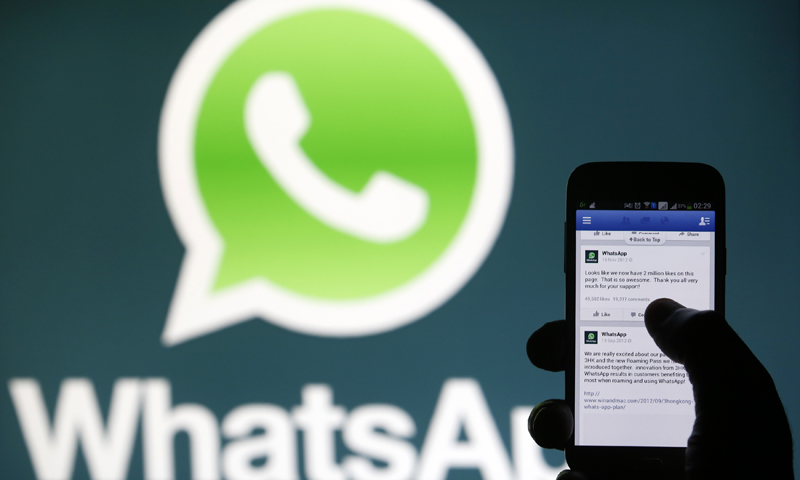
A Whatsapp App logo is seen behind a Samsung Galaxy S4 phone that is logged on to Facebook in the central Bosnian town of Zenica, February 20, 2014. — Reuters Photo


BARCELONA: WhatsApp, the world's biggest mobile messaging service, is to add a voice call service for its 450 million customers, laying down a new challenge to telecom network operators just days after it was bought by Facebook for $19 billion.
Chief Executive Jan Koum said his aim was for WhatsApp users to be able to make calls by the second quarter, just as they can now text messages, in a bid to expand the service's appeal to help it hit a billion users.
"We are driven by the mission that people should be able to stay in touch anywhere and affordably," Koum said at the Mobile World Congress industry fair in Barcelona on Monday.
WhatsApp and competitors like South Korea's KakaoTalk, China's WeChat, and Israel's Viber, have punched a hole in telecom operators' revenue in recent years by offering a free alternative to SMS text messaging.
The news that the most powerful of them was adding voice calls to its service will be seen as worrying for telecom operators globally, which got about $120 billion from text messaging last year, according to market researcher Ovum.
Adding free calls threatens another plank of telecom operators' revenues, albeit one that has been declining in recent years as carriers' tweak tariffs to focus on mobile data instead of calls.—Reuters

Monday, 24 February 2014

Inspect-a-gadget: Samsung Galaxy Note 3 #Samsung

Samsung’s Galaxy Note pioneered the ‘phablet craze', its release was initially met with harsh criticism mostly due to its size; the factor that limited its mobility – making it inconvenient to carry around because it’s a tough fit into most pockets apart from perhaps the inner jacket pocket. Very few thought it would be the inspiration for, or chief competitor to an entourage of devices to follow – I too, was among the sceptical majority.

The Galaxy Note 3, as the name suggests, is the 3rd generation device that currently has the HTC One Max, Sony Xperia Z Ultra and Nokia Lumia 1520 to compete with. Essentially, all the big boys excluding the Cupertino heavy-weight Apple, have immersed themselves in this bigger-is-better frenzy over the past few years. The competition has led to mind numbing technological advances: screens are bigger and specs are making serious head way, while they physically get smaller and lighter. Yet, I could never get used to carrying them around.
The Note 3 shares similarities in design with the S4 family though there are considerable differences. Before I get into those details I’d like to point out that there are two versions of the Note 3 available depending on your location, all of North America and those countries where 4G and LTE is readily available have the model that features a Qualcomm Snapdragon 800 chip, versus the rest of us that get the Samsung Exynos 5 Octa SoC version with a CortexA7+A15 octa-core CPU configuration.
Design
Samsung’s Note series has been the benchmark to supersede for all phablet manufacturers; most have come close but only for Samsung to unleash another generation of super-sized smartphones with yet more to offer. The Note 3 is a great looking device which has a bigger display than before, better specs and battery life, and still manages to shed more weight and girth compared to previous models. The thinner bezel around the display looks fantastic and makes the screen pop out while watching videos.
I like to think that their design team in South Korea reads what their critics say and tries to address common discontent with the next generation of devices. It’s no secret that people want to feel like they’re holding a premium device that does justice to all the costs associated with the product, and by calling it “contoured polycarbonate” or whatever other fancy term you want, does not make it feel like a premium material. It’s still plastic and feels cheap.
Apart from the Gorilla Glass covering the face of the Note 3, everything else is plastic. Even the chrome-finished metal-looking rim that wraps around the device and houses the power button, volume rocker, connectivity ports and loudspeaker grill is plastic. They have however worked on the changeable back cover: it’s gone from shiny and smooth plastic to contoured matt finished plastic that is made to look and feel like leather all the way down to the faux-sewn edges – which are also plastic.
My problem is not so much with the plastic as it is with it being designed to look and feel like metal and leather – a cheap material disguised to look like premium materials would legitimately leave the buyers feeling cheated.
Apps
Samsung has been trying to develop features and applications that help integrate their smartphones into customers’ lifestyles; they have a WatchOn app that turns the S4 family and Note 3 devices into universal remotes through which you can incorporate different room configurations as presets. They also have the S Health app through which you input your physical details and calorie consumption, it then tracks your movement and tells you how much more to exercise daily.
The newest addition and perhaps the most interactive one of the lot is SketchBook for Galaxy. The S Pen functionality enables the user in utilising the most out of the application. Within the app there are loads of preset brushes among other graphic tools that can produce illustrations similar to the industry standard Adobe Photoshop suite. You can compile images on different layers, play around with opacity, add graphics and kill lots of time being creative.
While Sketchbook is geared towards the creative sort, Evernote is designed for students and professionals that need to record meetings/lectures, it has a speech-to-text function, capability to compile notes and pictures, as well as a function called Page Camera which allows you to turn physical documents into digital notes. Last but not least and certainly a point not to forget is that the Note 3 comes with 50GB of Dropbox space that is free for the first two years, it can be tied in to backup all your pictures, documents, and contacts automatically so you never lose anything.
Display & Camera
The 5.7-inch Full HD Super AMOLED screen has a 1080x1920 resolution which results in mind boggling 480dpi (via AnTuTu) image density. Playing graphics-heavy games like GT Racing 2 is insane fun since the screen is huge and has the necessary power under the hood to support it. Such games normally are a different experience with each phone since they require higher refresh rates, around 60fps, so the game play experience does not lag or get choppy.
The camera takes great pictures in good light and average pictures in low-light situations. On the back there is a 13MP main camera with LED Flash and a front facing 2.1MP camera, both of which can record videos at 1080p. The kicker here is, the main camera’s capability to record videos in 4K, that’s essentially 4 times the resolution since it’s two times regular HD on each axis. There is an ensemble of filters, effects and tweaking options available if and when they are needed.
Performance & Usability
The version we got for review, courtesy of Shamrock Communications was the Sm-N900, it came with the Samsung Exynos 5 Octa SoC with a Cortex A7+A15 octa-core CPU and 3GB RAM. I don’t think I’ve ever used a faster phone so I really had nothing to compare it with, so I ran the AnTuTu Benchmark test and Nenamark 2 test. Needless to say it aced all benchmark tests and came out on top as the fastest with fantastic GPU results as well. I’ve been running all the power-hungry apps simultaneously, while using all sensors and the multi-window option - all the Note 3 does, is ask for more.


Granted, the 5.7-inch display takes some getting used to, especially if you like operating the device with one hand, but keep at it – it gets easier, and once you get the hang of it you would not want to part ways. Battery life really stands out when you look at the size of the display and the specs its supporting, but here is where the octa-core CPU configuration comes into play: it is made up of two individual quad-core processors with one being bigger than the other. The latter is used when too much is not being asked for from the device since it consumes less power, and the other processor kicks in when lots of power is required by applications. Additionally the 3.8 V Li-ion 3,200 mAh removable unit is huge and gives you more time than most other batteries available today.
The verdict
Once I fully understood what all the Note 3 is capable of, I was able to comprehend what all the fuss was about. Unfortunately we did not get it with the Galaxy Gear so I cannot comment on its usability and functionality comprehensively without speculating. What I do know is that whatever sceptical reservations I may have had in the past about the Note series are all gone. If you are looking for a phone with a bigger display than the more common 4.5 to 5-inch screen, the Note 3 is your best bet. It packs a serious punch in terms of performance and features such as 4k recording, the S Pen and the Galaxy Plus bundle with Sketchbook, Evernote and Dropbox stand out in altering the way one would go about their daily routine; all for the better.
Samsung Galaxy Note 3 – Rs 67,000 to Rs 71,000
Specifications
Display
5.7”, 1920x1080 Super AMOLED
Processor and GPU
Snapdragon 800, or Exynos 5 Octa SoC
Krait 400 quad-core CPU, or Cortex A7+A15 octa-core CPU
Adreno 330 GPU, or Mali-T628 MP6 GPU
Storage
16/32/64 GB internal storage, 3GB RAM, microSD card slot
Camera
13 MP camera, 1/3.06” sensor, f/2.2 lens, up to 4K video
Battery
3,200 mAh, 12.16 Wh battery
Connectivity
LTE or HSPA+, Wi-Fi a/b/g/n/ac, Bluetooth 4.0, NFC
OS
Android 4.3 Jelly Bean
Weight
168 grams, 8.3mm thick


Sunday, 23 February 2014

17 of the coolest hidden Google tricks #GoogleTricks


Google is awesome. Yes, there have been questions raised about its new privacy policy and creepy Safari tracking and frankly, it just knows way too much about everyone who has ever created a Google account. But let’s put that aside for a moment and focus on all its cool quirks, shall we?
They’re built into practically every Google product — if you look hard enough, you’ll find that entering the right search term or typing a code can make Google collapse, spin or create fictional characters. Here are 15 easter eggs (hidden, entertaining things developers build into a website or program) for you to discover the next time you’re Googling.
1. Walking to Mordor:
mordor
If you’ve ever watched The Lord of the Rings: The Fellowship of the Ring (or just seen various versions of the meme) you may never stop laughing at this Google Maps quirk (or maybe it’s just me). If you try to get walking directions from “The Shire” or “Rivendell” to “Mordor” (just type in the words and ignore all the auto-complete suggestions that pop up), Google will give you the route… and a warning. In other news, according to my Google Maps, Mordor is located just outside Cape Town, South Africa. Nice.
2. Barrel roll:
barrel roll
Endlessly entertaining, this one trended worldwide on Twitter in November. Simply search “do a barrel roll” — if you have Google’s instant results functions enabled, your results page will be spinning before you’ve completed the instruction.
3. 42:
42
What is 42, you ask? Geez, it’s only the answer to life, the universe and everything. Ok, so if you’ve never read or watched The Hitchhiker’s Guide to the Galaxy, you won’t get this one. But Google’s built-in calculator will.
4. Gravity:
gravity
If, by any chance, you feeling like searching “Google gravity” and hitting “I’m feeling lucky”, don’t be surprised if Google comes crashing down around you the second you move the mouse. (Hint: you can disable Google’s instant results in your account preferences page to make sure you get the ‘I’m feeling lucky’ option).
5. Recursion:
recursion
Google pokes fun at its own “did you mean” suggestions if you search recursion (repetition or returning) by questioning your spelling even though you didn’t make a mistake.
6. Klingon:
klingon
So “GoogleDaq ylnej” means “Google search”. Hmmm. Who knew? Well, you, if you speak Klingon. Yes, there is a Klingon version of Google. There is also a pirate and Elmer Fudd version, if that’s more your thing.
7. Kerning:
kerning
Designers will love this one — kerning is the spacing between letters in a word. When you do a search for kerning, Google changes the spaces between letters in the word ‘kerning’ in all the results. Heehee. You see what they did there?
8. Hello, Nessy:
lochness monster
Picture this: You’re working under a tight deadline, your clock is slowly counting the minutes past 3AM and your coffee and Red Bull combo is failing. The sleep deprivation is starting to affect you — you are starting to see things. You click to your home page, and there, rising gracefully from the dark waves in your iGoogle theme, is the Lochness Monster.
No, you’re not hallucinating — you really did see Nessy. If you are ever awake and online at 3:14 AM (those are the first three digits in Pi, by the way), and have the iGoogle beach theme installed, Nessy will come to visit for a minute. If you’re not an insomniac, you can always just change the timezone on your computer and in your iGoogle settings and just wait until 14 minutes past the hour (I was in Bangkok last night, as far as Google knows). Unfortunately, it looks like the monster will be no more after iGoogle is retired in November 2013.
9. Nagging Rams:
anagram
Similar to the ‘recursion’ response, if you search for ‘anagram’ (rearranging the letters in a word to make a new word or phrase, in case you didn’t know), Google rearranges the letters to suggest you were really searching for ‘nag a ram’.
10. Antarctic Penguins:
penguin
If you ever want to creep the Antarctic on Google Maps, you may be surprised to find the little orange peg man you drag and drop to change to Google Street View has transformed into a fat little penguin. Awwww.
11. Doodles:
doodles
What do you get if you don’t actually search for anything, and just hit ‘I’m feeling lucky’? A catalogue of all the Google doodles — all the way back to 1998. There were just three in that year — there have already been 69 in 2012.
12. Konami ninja:
ninja
If you type in the Konami code (a cheat code used in Konami games) in Google Reader, the side panel will turn blue and a cute ninja will appear on the left of your screen. Use your arrow keys and keyboard to enter the code — it’s up, up, down, down, left, right, left, right, followed by the letters B and A. Like iGoogle’s Nessy, this one is going away after Reader is retired in July 2013.
13. Street View team:
street view
Ever wanted to see the people who work at Google doing cool things like Google Street View? Well, if you hop along to the back of the Google offices in Mountain View, you can see them all.
14. Laundry:
laundry
There are a lot of things Gmail can do for you — filter spam, flood you with ads, apply a plethora of pretty coloured labels to your messages — but, as yet, it can’t do your laundry.  However, it is an option on the ‘suggest a feature’ page for Gmail.
15. Pacman:
pacman
It started out as a Google doodle to commemorate the 30th anniversary of Pacman in 2010, but the Google Pacman game was so popular, it was given a permanent home.
16. Zerg rush:
Zerg rush
Google “zerg rush” and prepare to defend your browser against hordes of the letter ‘o’ in Google’s logo, which will start to destroy your search results. They’re apparently undefeatable, but you can try to fight them off by clicking on them and share your high score on Google +. For those who aren’t familiar with StarCraft, a ‘zerg rush’ is a tactic where swarms of aliens known as ‘zergs’ descend in multitudes in order to overwhelm their enemies.
17. You’ll never find Chuck Norris
Chuck Norris google
Because Chuck Norris jokes never get old, there is a warning hidden in Google search results to ward off those who dare to attempt to find him. Just search ‘find Chuck Norris’ and hit ‘I’m feeling lucky’ and you’ll see what I mean.

Saturday, 22 February 2014

20 Facebook Tips/Tricks You Might Not Know #FacebookTricks

facebook tips & tricks

If you surf Facebook on daily basis or occasionally, chances are you’re already familiar with regular stuffs like add/delete friends, update statuses, walls and profile, add and explore pages & applications, etc, but there’s more..
This week we want to cover some interesting things you can do on (or with) Facebook; inclusive of tricks that are not documented or unknown to many, as well as tips to stay connected better with your friends. Without further ado, here’s 20 Facebook Tips/Tricks You Might Not Know. If you have interesting tips/tricks related to Facebook, please feel free to share in the comment box below.
  1. How To Place Facebook Chat On Firefox Sidebar

    If you are using Firefox, you can place the Facebook Chat at the sidebar.
    Facebook_Chat_Firefox_Sidebar
  2. How To Download Facebook Photo Albums

    FacePAD: Facebook Photo Album Downloader allows you to download your friends’ facebook albums, Events albums, and Group Albums, en masse, with the click of a button.
    facepad
  3. How To Share Flickr Photos To Facebook

    Flickr2Facebook is an unofficial Flickr to Facebook uploader(bookmarklet) which allows you upload photos to Facebook from Flickr.
    flickr2facebook
  4. How To Update Facebook Without Using Facebook

    hellotxt and Ping.fm both introduced features that let Facebook administrators update Facebook Pages.
    hellotxt
  5. How To Schedule Facebook Messages

    Sendible lets you schedule Facebook messages ahead of time so you can send messages to your friends, customers or colleagues in the future.
    sendible
  6. How To "Friend" Someone On Facebook & Hide It From Your Status Updates

    A short tutorial on Makeuseof to guide you how to hide Facebook status updates and keep that fact confined to your closer friends.
  7. How To Create A Photo Collage Using Pictures Of Your Facebook Friends

    Click on Friends tab. Proceed to More tab. From "Choose an option" dropdown, choose any of the dashes "" . Your Facebook friends collage is right on your computer screen.
    photo_collage
  8. How To Know When Facebook Friends Secretly Delete Or Block You

    This service has been discontinued. X-Friends is a unique tool for tracking friends that disappear from Facebook.
    X-friends
  9. How To Display Selected Pictures Only On Your Facebook Profile Page

    A little-known feature in Facebook that lets you decide who shows up in that Friends box. Click that "edit" pencil in your Friends box and type the names of your best friends in the box that says "Always show these friends"
    friend_photos
  10. How To Remove Facebook Advertisements

    This Greasemonkey script – Facebook: Cleaner removes many of the annoying ads and updates that unavoidably appear on your Facebook pages.
    ads
  11. How To Syncs Photos Of Facebook Friends With Contacts In Microsoft Outlook

    OutSync is a free Windows application that syncs photos of your Facebook friends with matching contacts in Microsoft Outlook. It allows you to select which contacts are updated. So you can update all contacts at once or just a few at a time.
    outsync
  12. How To Display Facebook Statuses On WordPress Blog

    The following method make use of Facebook status feed and WordPress RSS widget to display Facebook Statuses on WordPress blog.. It will also work for self-host WordPress blogs.
    statuses
  13. How To Post Your Blog Posts To Your Facebook Wall Automatically

    Wordbook allows you to cross-post your blog posts to your Facebook Wall. Your Facebook “Boxes” tab will show your most recent blog posts.
    wordbook
  14. How To Access Facebook Chat On Desktop

    Gabtastik and digsby let you keep Facebook chat sessions open on your Windows desktop outside of your regular web browser, using minimal screen real estate and system memory.
  15. How To Create Quiz On Facebook Easily

    LOLapps provides quiz creator that can be employed to conjure up these popular personality quizzes that are so widespread in Facebook.
    lolapps
  16. How To Hide Your Online Status On Facebook Chat From Select Contacts

    Facebook has integrated friends list with Chat and you can also choose which of these list members get to see you online.
    hide
  17. How To Get Facebook Updates On Email

    NutshellMail consolidates your Facebook accounts through the inbox you use the most.
    nutshellmail
  18. How To Update Facebook Status From Firefox

    FireStatus is a status update utility for multiple social networks, including FaceBook.
    firestatus
  19. How To Get Facebook On Your Desktop

    Seesmic DesktopFacebookerXobniFacebook Sidebar GadgetScrapboy and Facebook AIR application are desktop applications that allows you interact with your stream just as you would on Facebook, but without the browser.
  20. How To Delete, Cancel And Terminate Facebook Account And Profile

    A simple guide to terminate, delete or cancel Facebook account, together with the Facebook profile easily.
    terminate


Thursday, 20 February 2014

BlackBerry shares surge after Facebook bid for WhatsApp #BlackBerryandWhatsApp

WhatsApp sent shares of BlackBerry Ltd surging after the closing bell on Wednesday, as investors were cheered by the lofty valuation for the messaging platform.


The company logo is see at the Blackberry campus in Waterloo, September 23, 2013. — Reuters Photo

Facebook Inc's stunning $19 billion bid for fast-growing mobile-messaging startup WhatsApp sent shares of BlackBerry Ltd surging after the closing bell on Wednesday, as investors were cheered by the lofty valuation for the messaging platform.

The deal sent shares in BlackBerry up as much as 9 percent in trading after the bell because it put a rough valuation metric around the smartphone maker's own BlackBerry Messaging service.
BlackBerry Messaging, or BBM as it is more commonly known, was a pioneering mobile-messaging service, but its user base has failed to keep pace with that of WhatsApp, in part because BlackBerry had long refused to open the service to users on other platforms.
WhatsApp, with a user base of some 450 million, has grown rapidly. Its service works on Apple Inc's iOS platform, Google Inc's market-dominating Android operating system, along with devices powered by both the Windows and BlackBerry operating systems.
BBM remains popular, even though BlackBerry devices have waned in popularity. Late last year, the Waterloo, Ontario-based smartphone maker finally opened the messaging platform to users of iPhones and Android devices, and the service currently has over 80 million active users.
However, investors have attributed little value to the asset within the company. On Tuesday, Raymond James analyst Steven Li, in a note to clients, broke out a sum-of-parts valuation of the company and pegged the value of BBM at merely $240 million, or $3 per user.
Facebook's valuation of WhatsApp translates into roughly $42 per user, and that could lead investors and analysts to rethink their valuation of the asset within BlackBerry.
BlackBerry has given no indication it is keen to sell the asset. While there has been some speculation that BlackBerry may seek to carve out the unit, or even sell it, the company's new Chief Executive John Chen has so far said that BBM remains a core asset for the company.
After surging as high as $9.82 in post-market trading on the Nasdaq soon after the WhatsApp deal was announced, shares in BlackBerry settled at around $9.54, almost 6 percent above their closing price of $9.01 a share.